Setting up the library printer:
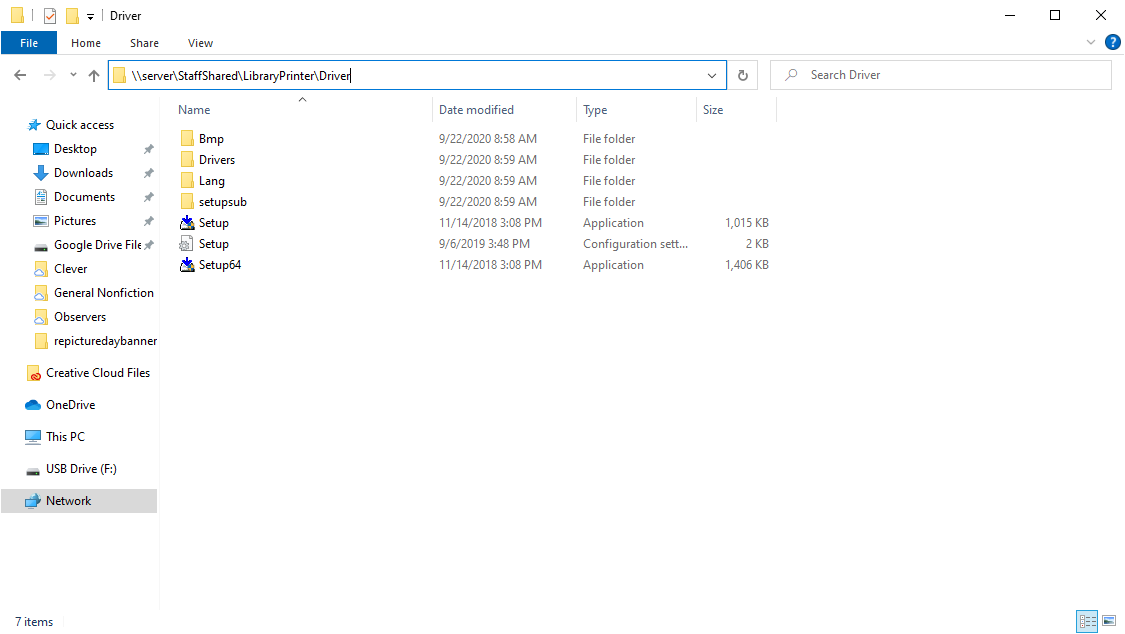
Open a folder and in the address bar type \\ja\StaffShared\LibraryPrinter\Driver
Run the Setup64 installer. If prompted for a password use install and Jefferson11251
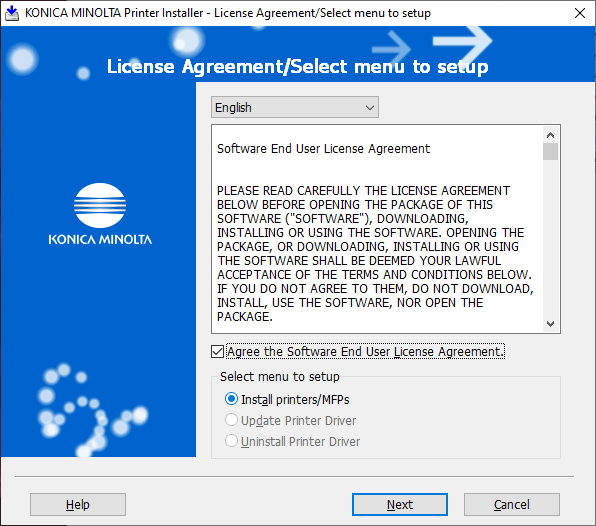
Check the Agree box and Install printers/MFPs. Then click Next
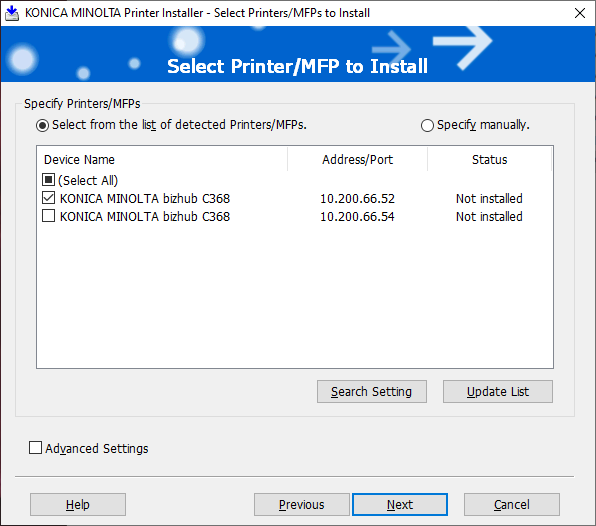
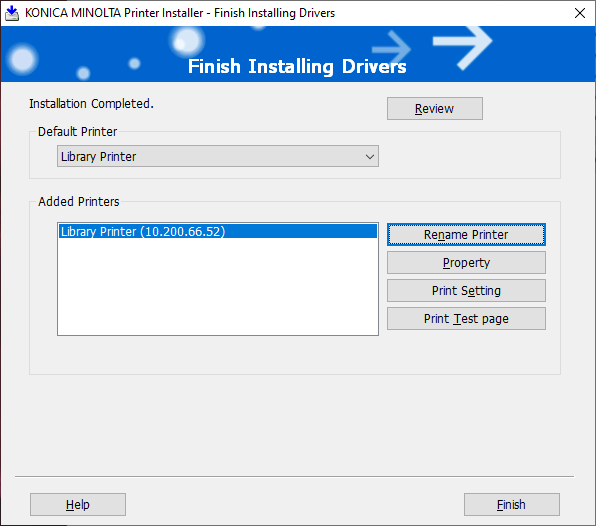
Wait for the printer to be found. The Address/Port for the library is 10.200.66.52. Select just that printer and click Next then Install.
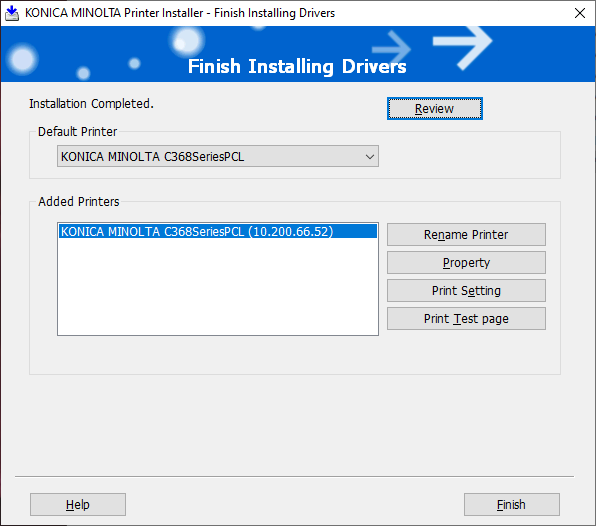
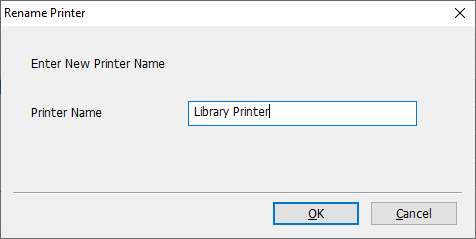
After the Install, Rename the Printer by clicking Rename Printer
Name it something that specifies which printer it is.
Click Finish
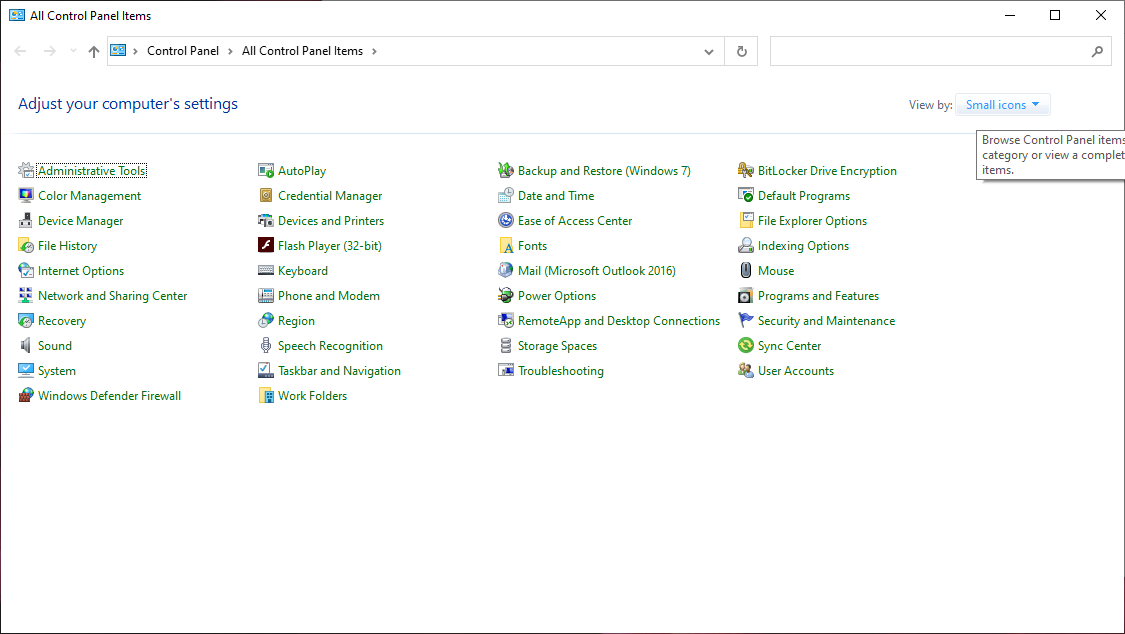
Open control panel and change the view to Small Icons in the upper right
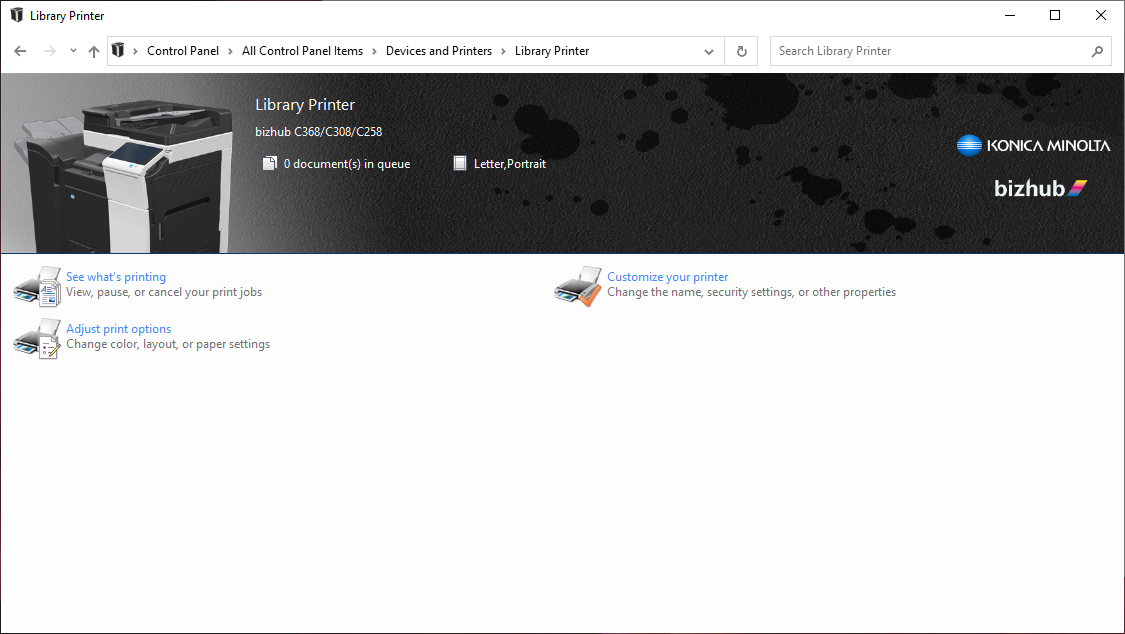
Click Devices and Printers then double click the library printer
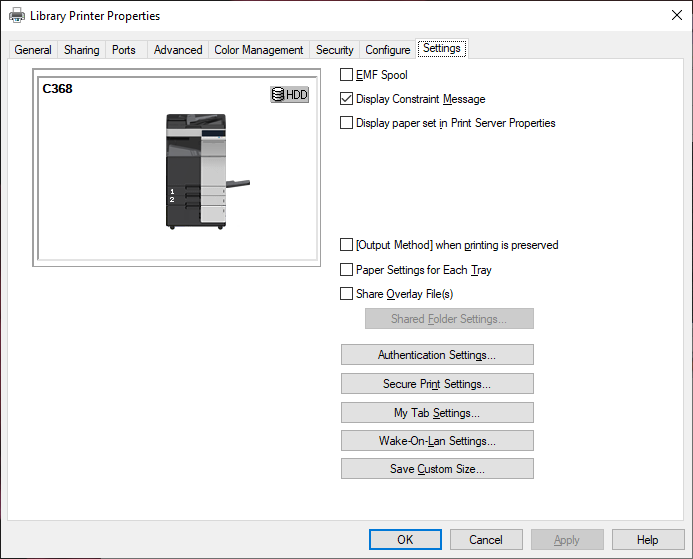
Double click Customize your printer then click the settings tab. Click Authentication Settings.
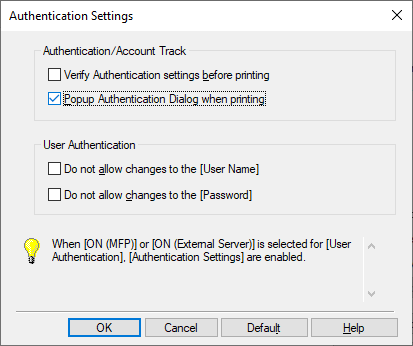
Check the box Popup Authentication Dialog When Printing and click OK, and OK again. Close the printer settings window.
When printing in black and white enter 1234 for color enter 11251